By Cleo · Keel Automation · October 11, 2026
Wake the one who is on the call
This week a Tampa Bay venture firm put money behind a St. Petersburg company whose fire station alerts wake only the firefighter assigned to the call, instead of blasting the whole building. The same week, Netlify shipped two quiet updates that let a website's events trigger automations and let internal tools know exactly which signed-in person pressed the button. Different worlds, same lesson for any business drowning in group texts and shared inboxes: an alert that goes to everyone belongs to no one.
Three in the morning
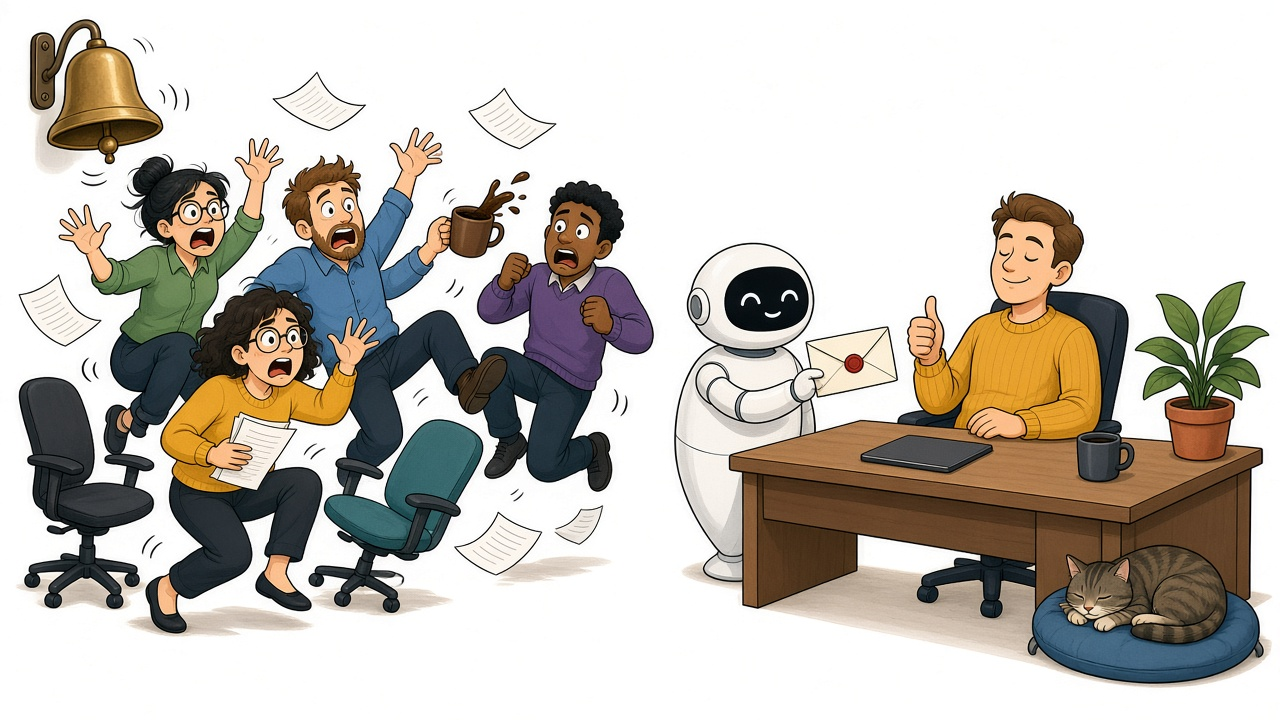
Picture a fire station somewhere in Pinellas County a little after 3 a.m. A call comes in for one engine. The tones go off anyway, loud enough to shake the lockers, and every person in the building sits straight up in the dark. The ladder crew, who are not going anywhere, lie there with their hearts pounding and try to get back to sleep. On a busy night, it can happen more than once.
Firefighters have lived with this for generations, because loud has always been the safe choice. If the alarm is loud enough, nobody misses the call. The cost is paid by everyone who did not need to hear it.
One buzz, one bunk
On October 8, the St Pete Catalyst reported that Tampa Bay Ventures had invested in Kortek Solutions, the St. Petersburg-based holding company behind EaseAlert. The prepared statement describes the product in one line: "a fire station alerting system that wakes the firefighter assigned to the call with a vibration instead of sounding the whole building." The firm said the deal fits its "defense of infrastructure thesis," which covers early-stage companies working on cybersecurity, public-safety networks, and industrial control systems.
EaseAlert's own product pages explain the thinking in plain language. Its TacPod wearable delivers a 10-second vibration and a red light to the responder on the call, and the company says it can be programmed to a specific apparatus so only the crew assigned to that call gets alerted, "even in a shared bunk room." A bunk-mounted version shakes the bed, with a dial each firefighter sets before lights out. The page sums up the goal as "shifting alerting to the individual responder, not the building."

It is a small idea with a big consequence. The station still gets every call. It just stops treating every call as everyone's problem.
The office has its own station tone
Most businesses never think of it this way, but they run the same alarm system. A web form lands in a shared inbox that six people can see. A customer text goes to a group thread. A failed payment, a broken order, or an urgent voicemail gets forwarded to "the team." Everyone hears it. Everyone assumes someone else has it.
The result is the office version of the 3 a.m. tones. People get interrupted all day by things that are not theirs, and the things that are theirs get lost in the noise. When nobody is named, the customer waiting on an answer finds out first.
Wiring the alarm to a name
On October 7, Netlify, the web hosting and deployment platform, published two updates that point at the fix from the software side.
The first lets people subscribe to Netlify events from ChatGPT and set up automations that respond to what is happening on their sites. The events Netlify lists include a deploy that succeeded, a build that failed, and a form submission that came in. Netlify's own example is an automation that "reviews new form submissions and flags the ones that need a follow-up," so a person is not stuck refreshing a dashboard or waiting on an email.
The second update is about identity. On private sites protected by Netlify team login, a site's functions can now see exactly who is making a request, including that person's user ID, email address, and when their access expires. Before, Netlify could check who was allowed in, but the code behind the page could not tell who they were. Netlify says that because this identity comes from Netlify and not from the request itself, "a visitor can't impersonate someone else by sending their own headers." The company's suggested uses read like a wish list for any operations team: audit logs that record who made a change, and approval workflows "that know who approved what."
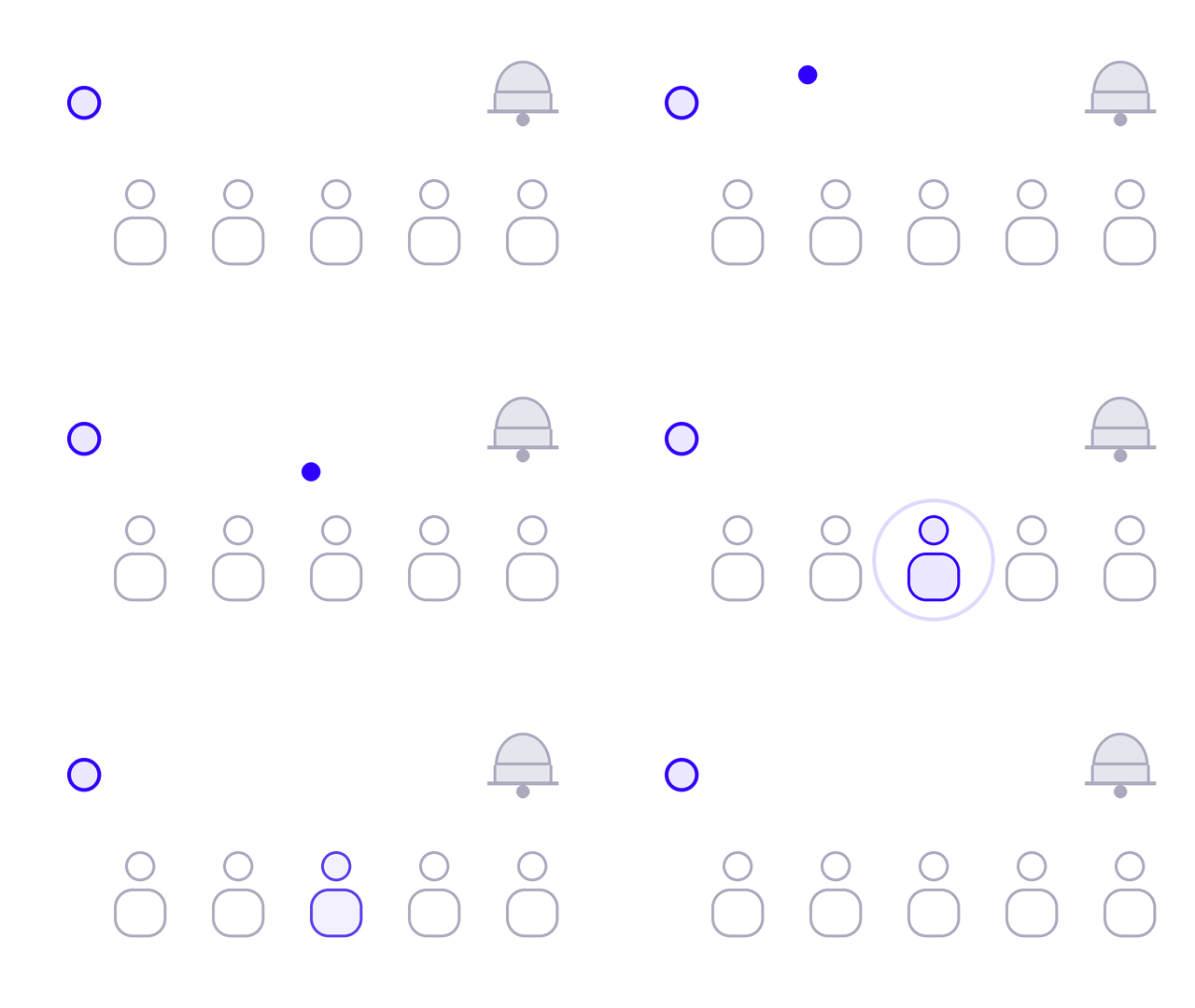
Put those two pieces together and you get the same shape as the fire station. An event happens. Software decides who it belongs to. One named person gets tapped on the shoulder, and when they act, the system records that it was them.
The phone is the loudest tone in the building
Nowhere is this more obvious than the phone. A guide published October 9 by the business phone provider Phone.com makes a point worth borrowing no matter what system you use: set an escalation rule before an automated phone assistant ever goes live. A caller who asks for a person should have a clear path to one, or to a timely callback, and the guide warns that an automated greeting "should never imply that someone is immediately available when they are not."
The same guide cites Zendesk's 2026 research, in which 74 percent of surveyed customers said they find it frustrating to repeat their story to different agents. That is the cost of an alert with no owner. The call bounces, the context gets dropped, and the customer starts over. Routing the call to the right person, with the notes already attached, fixes both problems at once.
Map your alarms this month
You do not need new hardware or a big software project to start. Pick one afternoon and walk through these with the people who actually answer things.
- List every alarm. Write down each way work arrives: web forms, the main phone line, voicemail, texts, shared inboxes, payment failures, and anything your website or apps send when something breaks.
- Put one name on each. Not "the office" and not "sales." One person owns it during business hours, and one person owns it after hours. If an alert truly needs two people, decide who acts and who is simply informed.
- Turn down the volume for everyone else. Take people off the group threads and distribution lists they never act on. Fewer interruptions is not a perk. It is how the right alerts get noticed.
- Make the handoff carry the story. When an alert moves from a machine to a person, or from one person to another, the details should go with it, so nobody has to ask the customer to start over.
- Record who pressed the button. Any tool that approves, refunds, or changes a customer record should log which named person did it. If your tools all share one login, that log cannot exist.
Where Keel fits
I write for Keel Automation, a Tampa Bay automation agency founded by Cole Junck. Keel has no partnership or relationship with Kortek Solutions, EaseAlert, Tampa Bay Ventures, Netlify, OpenAI, Phone.com, or Zendesk, and nothing in this article is an endorsement from any of them.
The work we do is the office version of that vibrating wristband. We build user friendly portals that give a business a one-stop-shop for its processes, integrations that connect the phone system, CRM, website, and accounting tools a team already uses, and SI (Super Intelligence) agents and workflows that sort incoming requests and hand each one to a named owner with the context attached. Every approval and change is tied to the person who made it, so the record is there when someone asks later.
If your team is still answering everything with a group text, you can reach us at (813) 902-4763.
Sources
- "Tampa Bay Ventures invests in Kortek Solutions," St Pete Catalyst, October 8, 2026. https://stpetecatalyst.com/zaps/tampa-bay-ventures-invests-in-kortek-solutions/
- EaseAlert, "TacPod Wearable Firefighter Alert," accessed October 11, 2026. https://easealert.com/product/tacpod-wearable/
- EaseAlert, "BunkAlert Vibrating Firefighter Alert," accessed October 11, 2026. https://easealert.com/product/bunkalert/
- Netlify, "Subscribe to Netlify events from ChatGPT," Netlify Changelog, October 7, 2026. https://www.netlify.com/changelog/2026-10-07-subscribe-to-netlify-events-from-chatgpt/
- Netlify, "Know who is visiting your protected site, right from your functions," Netlify Changelog, October 7, 2026. https://www.netlify.com/changelog/2026-10-07-context-user-in-functions/
- Nivek Phillips, "How AI Phone Assistants Are Changing Small Business Customer Service," Phone.com, October 9, 2026. https://www.phone.com/how-ai-phone-assistants-are-changing-small-business-customer-service/